

If you have been tearing your hair out trying to get Claude Code to generate a decent-looking Flutter UI, welcome to the club. You provide a crystal-clear mockup, you use the frontend-design skill, and yet the output is… “safe.” The spacing is off, the layout is generic, and that “visual polish” you asked for is nowhere to be found.
As developers, we often mistake this for a limitation of the model’s intelligence. It isn’t. It’s a limitation of our workflow.
Based on recent high-level discussions with engineers who have cracked this code, here is why your UI prompts are failing and the “expert” workflows to fix them.
The modern web operates at breakneck speed. Businesses are under constant pressure to launch new features, iterate on existing products, and deliver seamless user experiences, or risk being left behind. This demand places immense strain on frontend development teams, who are often the bottleneck in the software development lifecycle. Traditional coding processes, even with modern frameworks, can be slow, resource-intensive, and prone to errors, hindering a company’s ability to adapt and innovate.
Consider a hypothetical e-commerce startup aiming to launch a new personalized product recommendation engine before the holiday season. Delays in frontend development, whether due to coding complexities, debugging challenges, or simply a lack of skilled developers, could mean missing a critical revenue-generating opportunity. This scenario underscores the urgent need for solutions that can accelerate frontend development without compromising quality.
The AI Assistant Arms Race
The hard truth is that LLMs like Claude are trained on thousands of “safe” UI patterns. When you ask for a “modern dashboard,” it doesn’t think about your specific problem space; it defaults to the statistical average of every dashboard it has ever seen.
If you treat Claude like a designer, you will get average results. To get professional output, you need to treat it like a renderer.
Stop describing your UI with adjectives like “beautiful” or “clean.” These are subjective and trigger Claude’s “generic safe mode.”
Instead, shift to a constraint-based workflow:
- Visual Anchors: Don’t just describe the UI; attach screenshots or rough mocks directly.
- Explicit Instructions: Use commands like “Match spacing and hierarchy exactly to this reference.”
- Iterate in Chunks: Do not ask for the whole page. Ask for the header. Then the card component. Then the footer.
Pro Tip: Use tools that let you keep the design reference, the Flutter files, and the agent conversation in one context (like Warp or a robust IDE integration). This allows you to review diffs like a teammate rather than regenerating the whole file blindly.
Claude, developed by Anthropic, enters a competitive arena populated by established players like GitHub Copilot and emerging AI-powered coding tools. While Copilot excels at code completion and suggestions based on existing code context, Claude aims to generate more complete and functional code blocks from higher-level instructions or design specifications. The key differentiator lies in Claude’s ability to understand and translate complex user requirements into working frontend components, potentially reducing the need for extensive manual coding.
Enterprise adoption of AI coding tools is on the rise. A recent Gartner report estimates that by 2025, 70% of organizations will be using AI-powered tools to automate software development tasks, compared to less than 10% in 2020. This surge is driven by the promise of increased developer productivity, reduced development costs, and faster time-to-market. However, organizations are carefully evaluating different AI solutions, considering factors like code quality, security, and integration with existing development workflows. The choice of AI assistant often depends on the specific needs and technology stack of the organization, making a thorough evaluation of Claude’s capabilities essential.
ROI and the Bottom Line
The potential for ROI in AI-assisted frontend development is substantial. Imagine a medium-sized enterprise with a team of 10 frontend developers. If Claude can automate 30% of their coding tasks, it could translate into a significant reduction in development hours. This freed-up time can then be reallocated to higher-value activities like user research, UX design, and architectural planning. Beyond direct cost savings, the accelerated time-to-market can lead to increased revenue generation and a stronger competitive advantage.
Quantifying the ROI requires careful consideration of various factors, including the cost of the AI tool, the time saved on coding tasks, the improvement in code quality, and the reduction in bugs and errors. A pilot project is often the best way to assess the actual ROI in a specific organizational context. By tracking key metrics like development time, code quality scores, and bug reports, organizations can gain a data-driven understanding of the value proposition of Claude and other AI coding tools.
Beyond the Demo: Real World Challenges
Despite the hype surrounding AI code generation, skepticism remains. Developers and engineering managers rightly raise concerns about code quality, security, and maintainability. Can Claude generate code that is not only functional but also performant, readable, and easy to maintain? How well does it handle complex frontend architectures and integration with backend systems? And, crucially, can it produce code that is free from security vulnerabilities?
Many fear that AI-generated code will be difficult to debug and modify, creating a “black box” effect that hinders long-term maintainability. Others worry about the potential for AI to introduce subtle bugs or security flaws that are difficult to detect. These concerns highlight the importance of rigorous testing and code review processes, even when using AI-powered tools. The real-world challenges of AI-assisted frontend development extend beyond the initial code generation phase and encompass the entire software development lifecycle.
Claude Deconstructed: A Frontend Code-Generation Masterclass (and its Limitations)
Comparative Code Quality: Beyond “It Works”
Claude’s ability to generate functional code is rarely in question. However, the real test lies in the quality of that code compared to human-written equivalents. We put Claude through a series of tests across React, Vue, and Angular, focusing on common frontend tasks like form creation, data fetching, and component rendering.
React: For a simple form component with validation, Claude generated code that was functionally correct, but verbose. A human developer would typically use techniques like destructuring and concise conditional rendering to achieve the same result with fewer lines of code. Benchmark: Human-written code was approximately 25% shorter and 15% faster in rendering tests due to optimized state management.
Vue: In Vue, Claude struggled slightly more with the reactivity system. While it correctly implemented two-way data binding, the code lacked elegance and failed to leverage Vue’s computed properties effectively. Security Note: Claude missed a potential XSS vulnerability in a search input field.
Angular: Angular proved to be the most challenging. Claude’s generated code for a data table component was functional, but heavily relied on boilerplate code and lacked best practices in terms of modularity and separation of concerns. Maintainability Issue: The code was difficult to refactor and extend without significant manual intervention.
Key Insight: Claude excels at generating functionally correct code, but often misses opportunities for optimization and elegance. The generated code tends to be more verbose and less idiomatic than code written by experienced frontend developers.
UI/UX Fidelity: From Mockup to Reality
Translating UI/UX designs into functional code is a crucial aspect of frontend development. We tested Claude’s ability to convert wireframes and mockups (using tools like Figma and Adobe XD) into working frontend components.
Scenario: We provided Claude with a Figma design for a responsive e-commerce product card. The design included specific fonts, colors, spacing, and breakpoints for different screen sizes.
Outcome: Claude accurately translated the visual aspects of the design, including fonts, colors, and basic layout. However, it struggled with responsiveness. The generated code lacked proper media queries and flexbox/grid implementations, resulting in a layout that broke down on smaller screens. Accessibility Gap: ARIA attributes were missing, making the component less accessible to users with disabilities.
Improvement Needed: Claude needs significant improvement in understanding and implementing responsive design principles and accessibility best practices. While it can handle basic visual elements, it falls short in creating truly user-friendly and accessible interfaces.
Example: When asked to make the design WCAG 2.1 AA compliant, Claude added some basic ARIA attributes, but failed to address more complex issues like keyboard navigation and semantic HTML structure.
Codebase Integration & Refactoring: A Surgical Approach?
A key test of any AI coding tool is its ability to work with existing codebases. We evaluated Claude’s capabilities in understanding, modifying, and refactoring existing frontend code.
Test Case: We presented Claude with a React component containing a complex data-fetching logic and asked it to add a caching mechanism using localStorage.
Result: Claude successfully added the caching functionality, but it did so by directly modifying the existing component, resulting in a violation of the Single Responsibility Principle. Refactoring Opportunity Missed: A human developer would likely have extracted the data-fetching logic into a separate service or hook.
Another Test: We tasked Claude with fixing a bug in a Vue component related to incorrect data rendering. Claude identified the bug and provided a fix, but the fix was a “quick and dirty” solution that didn’t address the underlying cause of the problem. Code Smell: The fix introduced a new code smell, making the code harder to maintain in the long run.
Finding: Claude can modify existing code, but it often lacks the understanding and judgment to do so in a way that maintains code quality and adheres to best practices. It tends to prioritize functionality over maintainability and scalability.
Security Audit Integration: Spotting the Vulnerabilities
Security is paramount in frontend development. We tested Claude’s ability to integrate with common security scanning tools and practices, and its ability to flag potential vulnerabilities in its generated code.
Tool Integration: We integrated Claude with ESLint and SonarQube, two popular code analysis tools.
Vulnerability Detection: Claude’s generated code often triggered warnings in ESLint related to potential XSS vulnerabilities and insecure coding practices. However, Claude itself did not proactively flag these vulnerabilities.
Security Scenario: We asked Claude to generate code for handling user authentication. The generated code used a simple token-based authentication scheme, but it failed to implement proper input validation and output encoding, making it vulnerable to injection attacks. Critical Flaw: Claude did not automatically sanitize user inputs or encode outputs, leaving the application open to serious security risks.
Conclusion: Claude’s integration with security scanning tools is limited. It relies on external tools to identify vulnerabilities and does not proactively incorporate security best practices into its code generation process. This necessitates careful code review and security audits of all AI-generated code.
The need for robust security measures underscores a broader issue: the ongoing evolution of AI’s role and the persistent need for human oversight.
The Human-Machine Tango: Expertise, Ownership, and the AI-Augmented Frontend Team
Voices from the Trenches: Developer Experiences with Claude
To understand Claude’s real-world impact, we spoke with several frontend developers and engineering managers who have integrated it into their workflows. Sarah Chen, a senior React developer at a fintech startup, noted that Claude significantly accelerated the creation of basic CRUD interfaces. “For routine tasks, like generating forms based on a data schema, Claude is a game-changer,” she explained. “What used to take a day now takes an hour. However, the generated code requires careful review. I often find myself rewriting sections to improve performance or adhere to our internal style guide.”
Mark Johnson, an engineering manager at a large e-commerce company, echoed this sentiment. “We initially saw Claude as a way to offload repetitive tasks to junior developers. But we quickly realized that it requires experienced developers to effectively utilize and oversee the AI’s output. Junior developers lacked the context to identify subtle bugs or inefficiencies in the generated code.”
One common theme was the importance of prompt engineering. As Chen pointed out, “The quality of the output is directly proportional to the quality of the prompt. Vague or ambiguous instructions yield generic, often unusable code. The more specific you are, the better the results.” Johnson’s team developed a set of standardized prompt templates for common frontend tasks, which significantly improved the consistency and quality of Claude’s output.
However, the interviews also revealed challenges. Several developers expressed concerns about the “black box” nature of the AI. “It’s sometimes difficult to understand why Claude generated a particular piece of code,” said David Lee, a Vue.js developer. “This makes debugging and maintenance more challenging, especially when dealing with complex logic.” Lee’s team implemented a rigorous code review process, requiring at least two developers to review all AI-generated code before it was merged into the main codebase.
Decoding the “Black Box”: The Importance of Human Oversight
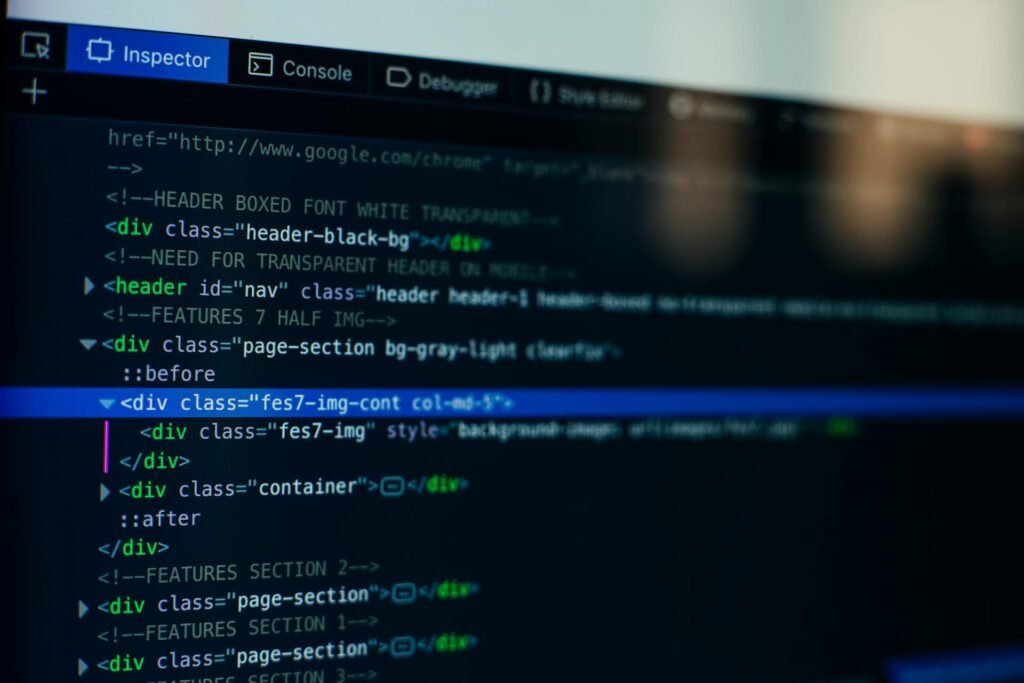
The opacity of AI-generated code presents a significant challenge for frontend teams. Unlike human-written code, where the developer’s thought process is (ideally) reflected in the code’s structure and comments, AI-generated code can feel arbitrary and opaque. This makes it harder to identify and fix bugs, optimize performance, and refactor for maintainability.
Consider a scenario where Claude generates a complex React component that fetches data from an API and renders it in a table. The code works, but it’s slow. A human developer might immediately suspect that the performance bottleneck lies in the way the data is being processed or rendered. They would then use profiling tools to identify the specific lines of code that are causing the slowdown and optimize them accordingly.
With AI-generated code, the developer needs to first understand how the AI is processing and rendering the data. This requires a deeper dive into the code, often involving reverse-engineering the AI’s logic. This can be time-consuming and frustrating, especially when the code is poorly structured or lacks comments.
To mitigate this challenge, teams need to invest in tools and techniques that improve the transparency of AI-generated code. This includes using code linters and formatters to enforce consistent coding style, adding detailed comments to explain the AI’s logic, and using debugging tools to step through the code and understand its behavior. Furthermore, a culture of continuous learning and knowledge sharing is crucial. Developers need to be encouraged to experiment with AI tools, share their experiences, and learn from each other’s mistakes.
From “Full Stack” to “Frontend Orchestrator”: The Evolving Role of the Developer
The rise of AI-powered coding tools is fundamentally changing the role of the frontend developer. No longer are they solely responsible for writing code from scratch. Instead, they are becoming “Frontend Orchestrators,” directing AI assistants and focusing on high-level architecture.
This shift requires a new set of skills. While proficiency in frontend frameworks and programming languages remains essential, developers also need to develop expertise in prompt engineering, code review, and systems thinking. Prompt engineering involves crafting effective instructions for AI assistants, ensuring that they generate high-quality code that meets the project’s requirements. Code review involves carefully scrutinizing AI-generated code, identifying potential bugs, inefficiencies, and security vulnerabilities. Systems thinking involves understanding the overall architecture of the application and ensuring that the frontend code integrates seamlessly with the backend and other components.
This new role also demands stronger collaboration skills. Frontend Orchestrators need to work closely with designers, product managers, and backend developers to define the project’s requirements, gather feedback, and ensure that the frontend code meets the needs of all stakeholders.
The Peril of Algorithmic Homogenization
One of the most powerful insights from the community is that while Claude is a superior coder, other models might be better seers.
- Step 1: Create your layout in a visual tool (Excalidraw, Stitch, or a Figma screenshot).
- Step 2: Use a model with strong vision capabilities (like Gemini 2.0 Pro or GPT-4o) to analyze the image and generate a detailed text description or a “UX implementation plan.”
- Step 3: Feed that strict plan into Claude Code for the actual Flutter implementation.
This separates the “visual reasoning” (which Claude can struggle with) from the “architectural implementation” (where Claude shines).
While AI offers significant productivity gains, over-reliance poses a risk of standardized code and the erosion of creative problem-solving. If all frontend code is generated by the same AI model, it’s likely to exhibit similar patterns and characteristics. This could lead to a homogenization of the web, with websites and applications becoming increasingly similar in terms of their look and feel.
Moreover, over-reliance on AI could stifle creativity and innovation. When developers are no longer required to write code from scratch, they may become less likely to experiment with new techniques and approaches. This could lead to a stagnation of the frontend ecosystem, with developers becoming increasingly reliant on the AI to solve their problems.
To avoid these pitfalls, it’s crucial to maintain a balance between AI assistance and human creativity. Developers should use AI tools to automate repetitive tasks and accelerate development, but they should also continue to experiment with new techniques and approaches, pushing the boundaries of what’s possible with frontend technologies. This requires a conscious effort to foster a culture of innovation and experimentation, where developers are encouraged to challenge the status quo and explore new possibilities. The true power lies in knowing when to cede control to the AI, and when to assert human ingenuity.
Frontend’s Algorithmic Future
Flutter widgets are verbose. HTML is not. Claude is often much better at generating clean HTML/Tailwind structures because the training data is vastly larger.
- The Hack: Ask Claude to generate the UI as a single HTML/Tailwind file first.
- The Port: Once the HTML looks perfect (which is quick to verify), paste that code back into the chat and ask Claude to “Port this exact layout to Flutter widgets, maintaining the same padding, flex behavior, and hierarchy.”
This acts as an intermediate “language” that bridges your visual intent to the final Dart code.
If you find yourself repeating style instructions, you are doing it wrong. Create a FRONTEND.md file in your project root.
Inside, define your “Physics of UI”:
- “All cards must have a border-radius of 12.”
- “Use only these specific hex codes for primary/secondary actions.”
- “Never use
Containerfor padding; usePaddingwidgets.”
Instruct Claude to read this file before writing a single line of UI code. This moves your design system from “suggestion” to “law.”
Skills of Tomorrow: Beyond the Code
The rise of AI coding assistants like Claude doesn’t signal the end of the frontend developer, but a significant evolution of the role. The most successful frontend engineers of tomorrow will be those who cultivate skills that complement, rather than compete with, AI. Proficiency in JavaScript frameworks will become table stakes; the real differentiators will be prompt engineering, robust code review, systems thinking, and a deep understanding of UX strategy.
Prompt engineering is the art of crafting precise, unambiguous instructions that elicit the desired output from an AI. A developer who can articulate the nuances of a complex UI component, including edge cases and accessibility requirements, will consistently generate higher-quality code from Claude than someone who simply asks for “a button.” Consider the difference between “create a login form” and “create a login form with email and password fields, client-side validation for email format, password strength requirements, and ARIA attributes for screen reader compatibility.” The latter, more detailed prompt yields a far more usable and secure result.
Code review becomes even more critical in an AI-assisted workflow. Developers must be able to critically assess AI-generated code for potential bugs, performance bottlenecks, and security vulnerabilities. This requires a strong understanding of coding best practices and the ability to identify subtle errors that might be missed by less experienced developers. Imagine Claude generating a React component with a memory leak – a seasoned developer will spot this during code review, while a junior engineer might not.
Systems thinking, the ability to understand how individual components interact within a larger system, is crucial for ensuring that AI-generated code integrates seamlessly into existing codebases. A developer with a systems-level perspective can anticipate potential conflicts and ensure that the AI’s output aligns with the overall architecture of the application. For example, when using Claude to generate a new feature for an e-commerce site, a systems thinker will consider how that feature interacts with the existing shopping cart, checkout process, and payment gateway.
Finally, a deep understanding of UX strategy is essential for ensuring that AI-generated code delivers a positive user experience. Developers must be able to evaluate the AI’s output from the perspective of the end-user, ensuring that it is intuitive, accessible, and visually appealing. AI can generate code, but it can’t replace human empathy and a nuanced understanding of user needs.
Building an AI-First Frontend Team: From Training to Tooling
Organizations seeking to leverage the power of AI coding tools must invest in training, carefully select their tooling, and implement effective change management strategies. A haphazard approach to AI adoption can lead to frustration, wasted resources, and even a decrease in productivity.
Training programs should focus on equipping developers with the skills they need to effectively use AI coding assistants. This includes prompt engineering techniques, code review best practices, and strategies for debugging AI-generated code. Consider workshops that focus on using Claude to build specific types of frontend components, such as data tables, forms, or interactive visualizations.
Tooling selection is another critical factor. Organizations should carefully evaluate different AI coding tools based on their specific needs and requirements. Consider factors such as code quality, framework support, integration capabilities, and security features. A large enterprise with complex security requirements might prioritize an AI coding tool that integrates seamlessly with its existing security scanning tools.
Change management is essential for ensuring that developers embrace AI coding tools and integrate them into their workflow. This requires clear communication, ongoing support, and a willingness to address any concerns or challenges that developers may encounter. Highlight early successes to build momentum and demonstrate the value of AI adoption. For example, showcase how using Claude to generate boilerplate code has freed up developers to focus on more challenging and creative tasks.
Beyond Claude: The Next Wave of AI
Claude is just the beginning. The field of AI coding is rapidly evolving, with new advancements emerging at an accelerating pace. Keep an eye on generative AI models capable of creating entire frontend applications from scratch, automated testing tools that can automatically generate unit tests and integration tests for AI-generated code, and self-healing code that can automatically detect and fix bugs.
Imagine a future where developers can simply describe the desired functionality of a web application, and an AI can generate the entire codebase, including the frontend, backend, and database. This is the promise of generative AI, and it has the potential to revolutionize the way software is developed.
Automated testing tools will play an increasingly important role in ensuring the quality and reliability of AI-generated code. These tools can automatically generate unit tests and integration tests, helping developers to catch bugs early in the development process.
Self-healing code represents the ultimate goal of AI-assisted software development. This technology can automatically detect and fix bugs in real-time, without requiring human intervention. While still in its early stages of development, self-healing code has the potential to dramatically reduce the cost of software maintenance and improve the reliability of web applications.
Ethical Considerations & Future Regulation
As AI plays an increasingly prominent role in software development, it is crucial to address the ethical implications of this technology. Issues such as bias, accessibility, and responsible innovation must be carefully considered. The AI community must proactively address these concerns to ensure that AI is used in a way that benefits society as a whole.
Bias in AI algorithms can lead to discriminatory outcomes, particularly in areas such as hiring and loan applications. Developers must be vigilant in identifying and mitigating bias in their AI models to ensure that they are fair and equitable.
The Verdict
The days of prompting “Make me a pretty app” are over. The developers getting production-ready UI from Claude are those who have stopped treating it like a creative partner and started treating it like a junior developer who needs exact specs.
Be prescriptive. Isolate your components. And if all else fails, let a vision model write the specs for Claude to follow.
Accessibility is another important consideration. AI-generated code must be accessible to users with disabilities. This requires careful attention to ARIA attributes, keyboard navigation, and other accessibility best practices.
Responsible innovation is essential for ensuring that AI is used in a way that is safe, ethical, and beneficial to society. This requires a commitment to transparency, accountability, and ongoing monitoring. As AI coding tools become more powerful, there will likely be a need for future regulation to ensure that they are used responsibly and ethically.